
 01
“I’ve got this.”
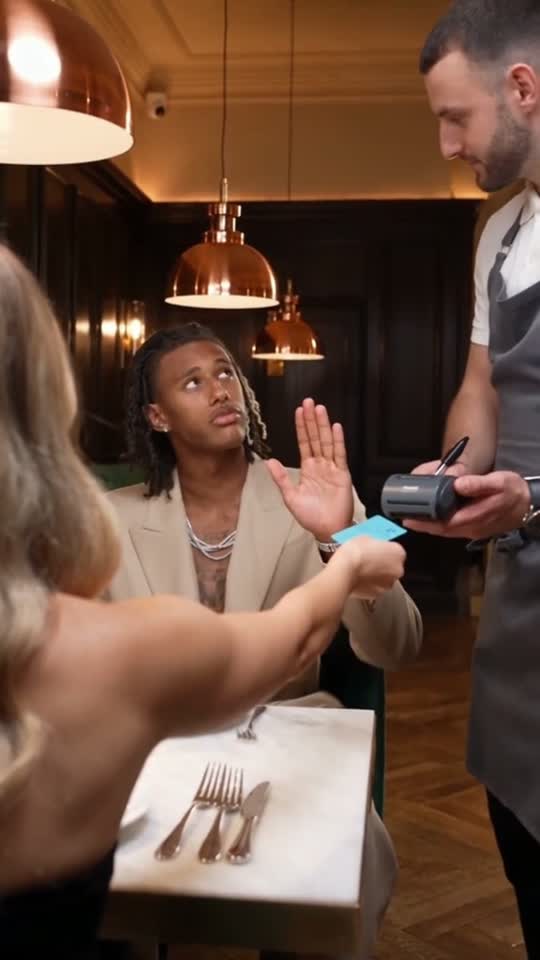
The date reaches for the card terminal. The payer raises a hand to stop them, keeping the original character’s confident gesture and expression. The restaurant setup makes the offer feel completely sincere.
YOUR FACE. HIS CONFIDENCE. ONE SPONGE.
Dinner’s on you.
So are the dishes.
Put yourself in the sponge-wallet restaurant meme. Upload one photo to replace the main character while keeping the reference video’s gestures, expressions, wallet reveal and walk to the kitchen.
One photo · Two connected scenes · Vertical MP4
720p HD · Both scenes included · No subscription
Reference clips supplied for this template. Your photo replaces the payer; the date and waiter stay in their roles.
THE CONFIDENCE. THE REVEAL. THE CONSEQUENCES.
The joke starts like a romantic gesture: you stop your date from paying. Then your wallet opens, and the only thing inside is a kitchen sponge. The waiter already knows what happens next.
01The date reaches for the card terminal. The payer raises a hand to stop them, keeping the original character’s confident gesture and expression. The restaurant setup makes the offer feel completely sincere.
 02
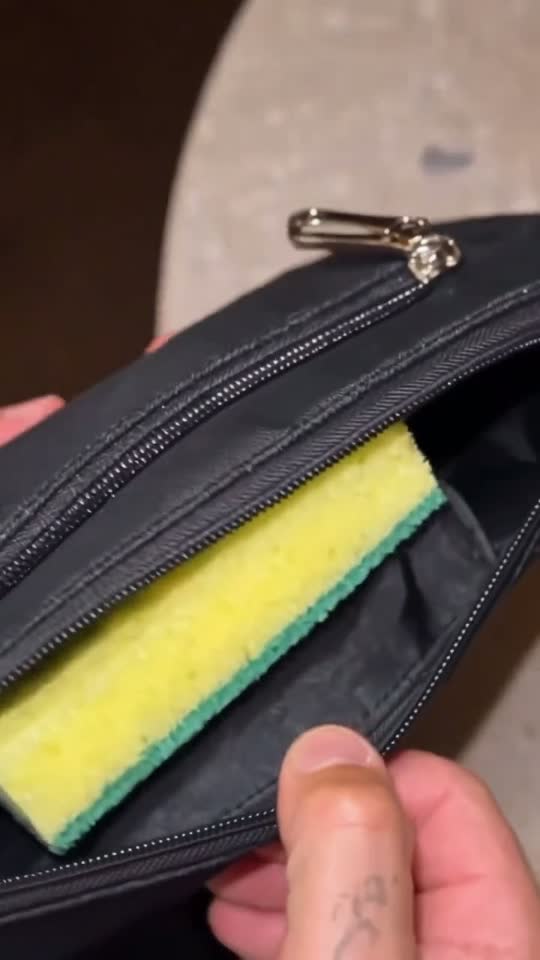
The shot cuts to an open black wallet. One yellow-green sponge fills the space where cash should be. This close-up is the punchline, so its timing and clear view of the sponge matter more than an elaborate effect.
 03
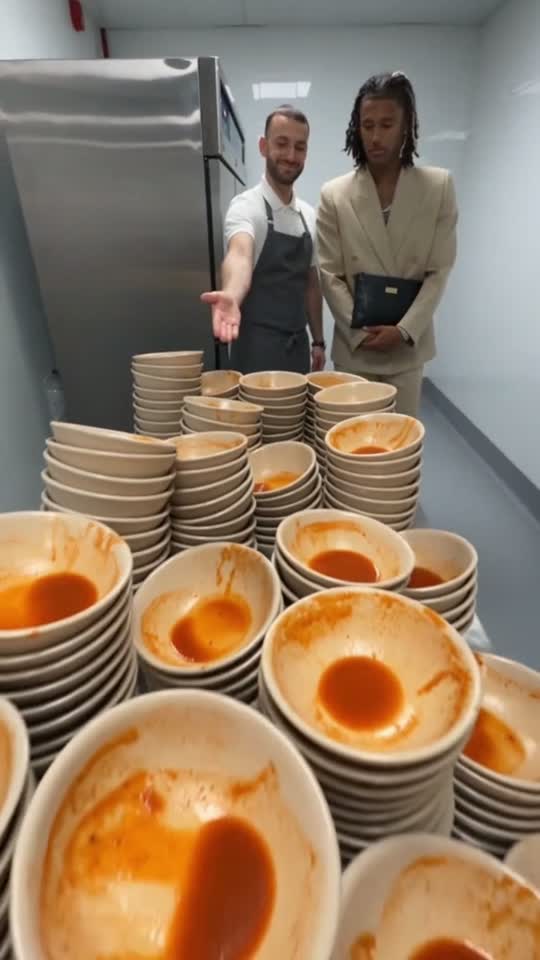
The waiter escorts the payer through the restaurant to a kitchen full of dirty dishes. The second reference clip supplies the standing movement, walk, camera changes and final reaction. The supplied sequence ends at the dish pile.
LOOK AT THE DETAILS
The raised hand, restaurant reaction, empty wallet and kitchen ending each carry part of the joke. These stills come from the supplied reference clips, so you can see the actual framing and supporting characters before choosing a portrait.
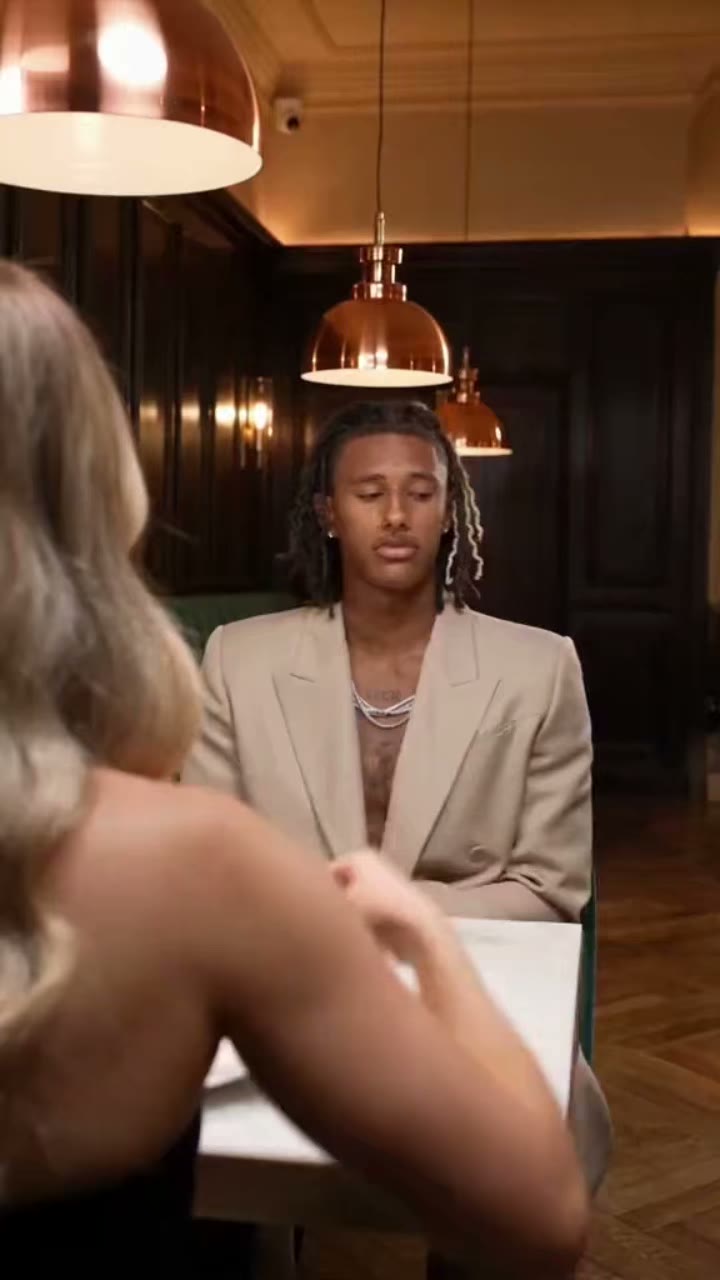
A table, a date and a waiting server establish the situation before the punchline. Your face belongs to the seated payer; the person across the table is part of the original scene.
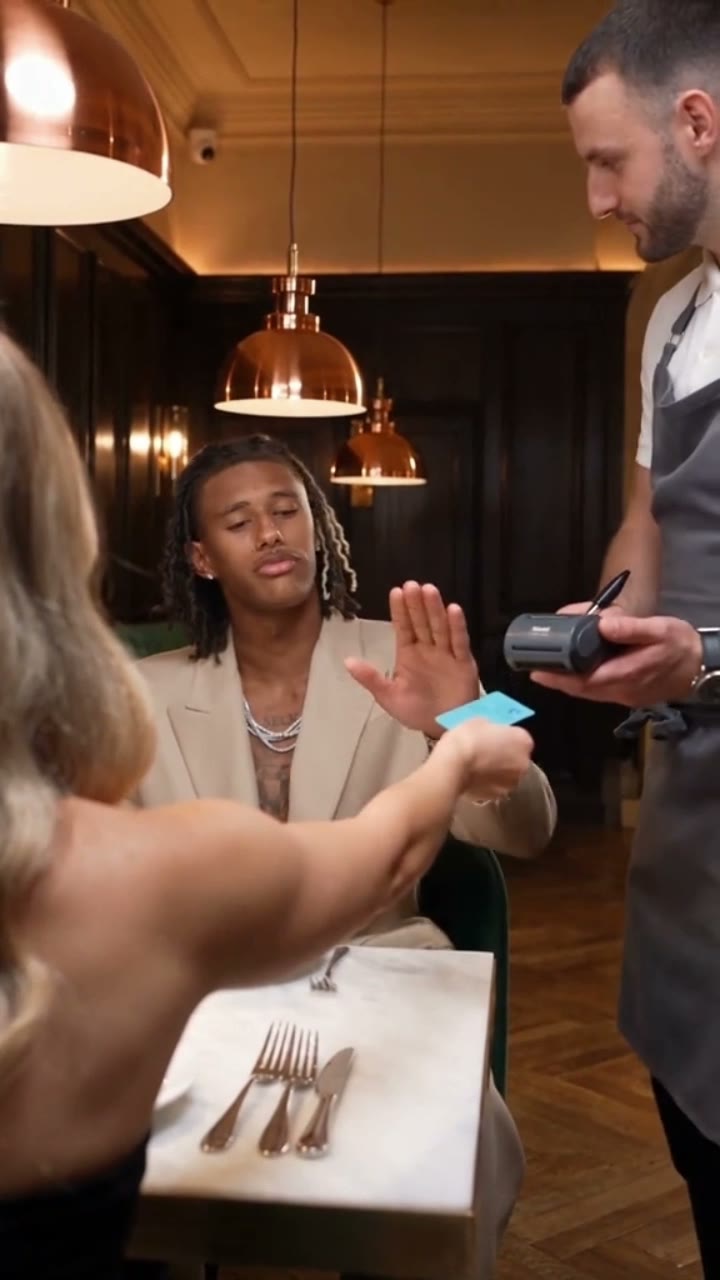
The open palm makes “you never let her pay” readable without narration. Keep the expression composed and the gesture visible instead of covering this part with a large caption.
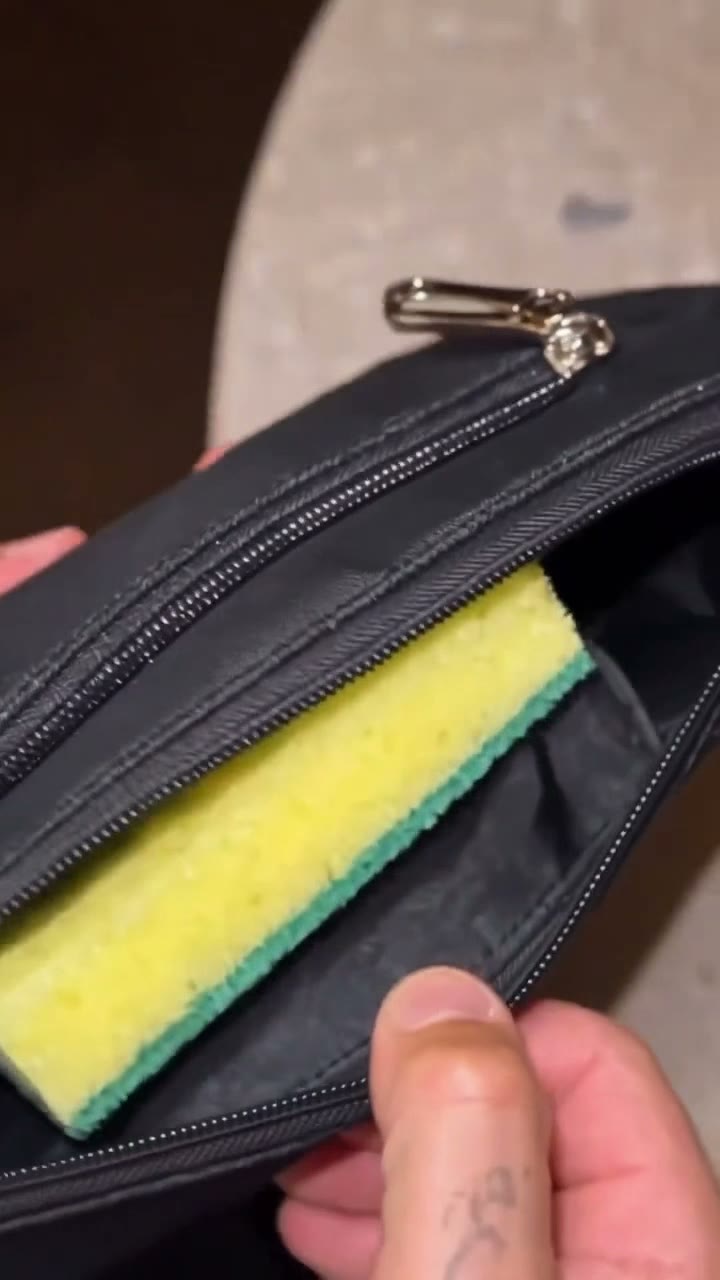
The close-up needs enough screen space for the sponge to register. The reference already supplies this cut, rather than relying on a new prop appearing at a random moment.
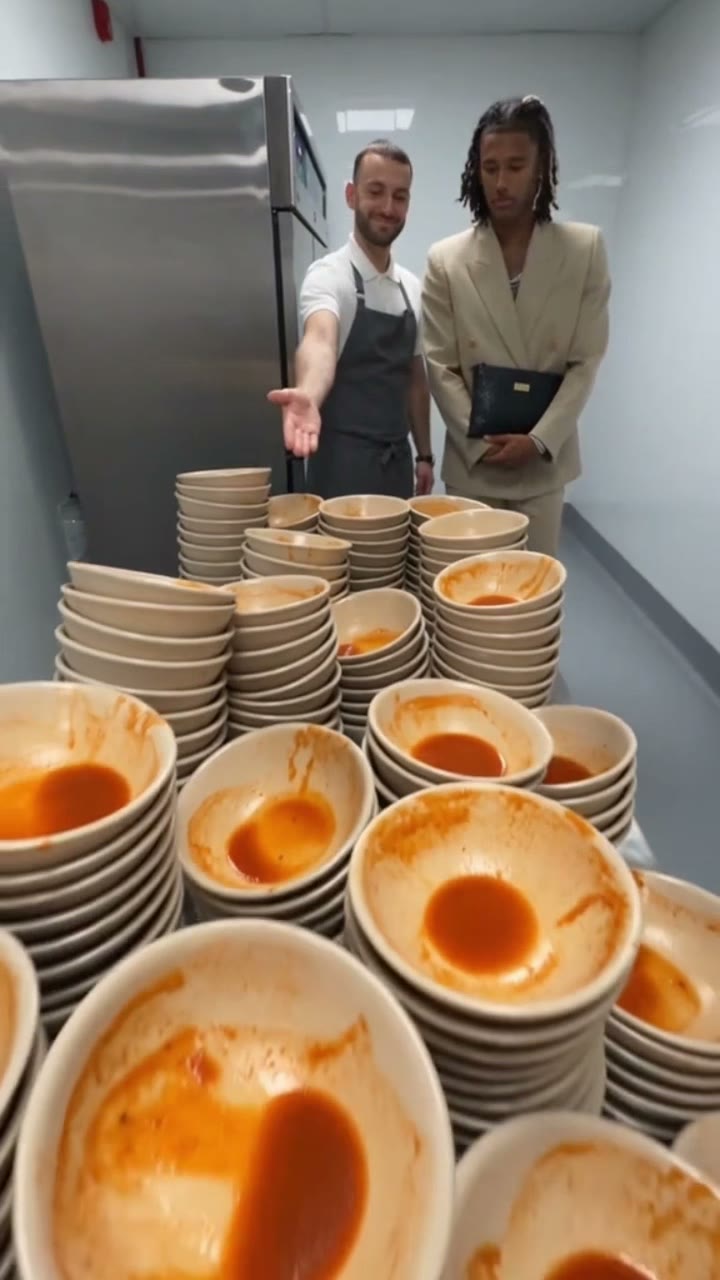
The walk and dish pile turn the wallet reveal into a complete ending. Your personalized video includes this second scene, with the same lead identity as the restaurant scene.
Reference-video stills, not a gallery of verified customer generations. The generated result may vary in facial detail, hands and motion.
Choose the face for your versionONE UPLOAD, ONE REPLACEABLE ROLE
This is a focused single-character remake. Upload one portrait for the payer. You do not need to cast the whole restaurant, upload a couple photo or decide which person the model should select.
The portrait supplies the lead character’s facial identity, hair and visible skin. Both first frames use that same identity, including the seated view and the angle used before the walk to the kitchen.
The person across the table establishes who is offering to pay. Their body position, offered card and presence remain part of the reference composition. There is no second photo upload for this role.
The server presents the terminal and later escorts the payer to the kitchen. Keeping this supporting role consistent gives the walk a clear purpose and connects the two parts of the story.
Your uploaded photo supplies the payer’s face, clothing, headwear, glasses and visible decorations. The source supplies poses, acting, restaurant and kitchen. Include enough of your outfit in the photo for the editor to reproduce it.
FROM ONE PHOTO TO THE WHOLE JOKE
You choose the face. The template already supplies the performance, scene order and restaurant setting.
Choose a JPG or PNG of one adult with a visible face. A sharp front-facing or slight three-quarter photo gives the editor useful identity detail. You do not need a restaurant photo, a suit or a picture of your partner.
The editor prepares a replacement first frame for each clip using the same uploaded identity. Each frame is paired with its original reference video, preserving the payer’s performance rather than asking for a new interpretation of the joke.
The two generated scenes are joined in their original order: card refusal and sponge reveal, then the waiter’s walk to the kitchen. Review your result in My Videos, download the vertical MP4 and add your caption before sharing.
A BETTER PHOTO MAKES A BETTER REMAKE
Your character moves from a seated restaurant view into a side view and a walk. Give the AI a clear face to work from, rather than a heavily edited selfie.
One adult, face in focus, even daylight and a clear view of the hairline, eyes and jaw. A neutral expression works well: the reference video supplies the acting. Leave a little space around the head; shoulders in frame are helpful.
Sunglasses hide the eyes, a hand covers the face, a beauty filter changes facial shape, or several people compete for attention. Very dark images and tiny faces give the model less information. Start with a different source photo if the first result loses your likeness in profile.

THE CAPTION, THE PROP AND THE PAYOFF
In this restaurant version, the phrase is a setup for a visual reversal. It sounds like a promise to cover a date’s bill. The sponge inside the wallet suggests that the payer is ready to settle it with kitchen work instead. The sequence works because each reveal changes what the previous moment meant.
The date moves toward the terminal and the payer stops the payment. On its own, this looks like confidence or generosity. Give the gesture time to register before the camera reveals what is inside the wallet.
A familiar object appears in the wrong place. A sponge is easy to recognize, and a wallet normally holds a way to pay. The contrast creates a joke that can be understood with the sound muted.
The payer gets up and follows the server. This is why the second clip matters: it turns a surprising object close-up into an action with a consequence, rather than ending the video at the first punchline.
Stacks of dirty dishes explain what the sponge was for. The supplied version ends at that reveal. It does not include a washing montage, and the generator does not add an extra scene after the kitchen ending.
The humor comes from recognizing a familiar person behaving with unreasonable confidence. The face makes it personal; the unchanged body language keeps the setup clear. For a group chat, a short caption can be enough. For a public post, keep the original story order so viewers who have never seen the source can still understand it.
In this guide, the template means the two-part restaurant sequence with the sponge-wallet reveal and the kitchen ending.
Read the scene-by-scene template guideCHECK THE RESULT BEFORE YOU POST
Review the whole exported MP4, especially the change of camera angle between scenes. A reference guides the generation, but a likeness or prop can still drift. Use the checks below to decide whether a different source photo would help.
Check: Look at the eyes, jaw, hairline and side view in both scenes, not just the first frame.
Try: Use a sharper portrait with the whole face visible and less wide-angle distortion. Avoid beauty filters that remove identity detail. A new creative attempt consumes another generation allocation.
Check: Can you see one yellow-green sponge inside the black wallet before the next cut?
Try: Check the uncropped download before adding text in a social editor. Keep captions away from the wallet and avoid trimming the close-up so short that the object cannot be recognized.
Check: Compare the movement with the reference performance, rather than expecting the portrait’s expression to remain frozen.
Try: A neutral source portrait gives a clearer identity anchor. The reference supplies the raised hand, gaze, facial reactions and walk; your selfie does not need to reproduce those actions.
Check: Make sure you downloaded the assembled result rather than recording a preview or trimming away the second scene.
Try: Play the MP4 from beginning to end. It should move from the wallet to the payer standing and following the waiter, then end at the dishes. Check My Videos for the final delivery status.
MAKE THE SETUP EASY TO READ
Let the image deliver the joke. A short caption establishes the promise to pay, the wallet contradicts it, and the kitchen completes the reversal. These lines are caption ideas for your editor or social app; the generator does not burn custom text into the video.
Click a caption to copy it.
Place text in an area that stays clear of the face, raised hand and wallet. Check every shot, because a position that works over the restaurant table can cover the prop in the close-up. Preview the post with the platform’s interface visible.
Use the vertical MP4 as one connected story. Avoid inserting an extra transition, reaction clip or pause between the sponge and the waiter’s response on your first edit. Watch it once without sound to check that the setup and ending still make sense.
A group-chat joke may need only the classic caption. A public post can include a short description of the AI remake. Label the clip as AI-generated, use an authorized adult portrait, and check your chosen platform’s current publishing options before sharing.
Watch the face in both angles, the hand at the terminal, the sponge close-up, the transition into the walk and the final dish pile. Listen to the audio once and check that your crop and text leave all five moments readable.
One. Upload a clear photo of yourself or another consenting adult. That identity replaces the payer in both reference clips. You do not upload separate photos for the date or waiter.
It is reference-based AI video editing. The system first edits each clip’s opening frame, then uses that frame and the matching reference video to guide the replacement performance. It aims to preserve the original motions and facial expressions, with generative variation in the result.
One completed meme video uses 150 credits. That covers the two scene edits and their assembly into a single vertical MP4. The one-video pack costs US$5.90; larger packs follow the prices shown above. A technically failed generation returns the consumed credits through the existing failure flow.
No. This website generates a personalized AI version in your browser. It does not install CapCut, provide a CapCut project file or claim affiliation with TikTok or CapCut. If you specifically need an editable CapCut timeline, this is a different type of tool.
It depends on the image editor, video queue and assembly service. The two scenes are processed as one order, and a failed scene can retry while preserving its completed sibling. Keep the task in My Videos; there is no guaranteed completion time.
The output is a vertical MP4 suitable for importing into those apps. Check the result, add your caption and use audio you are entitled to share. Posting and labeling decisions remain yours; this tool does not publish to your social accounts.
No. Reference guidance is used to preserve actions, expressions and cuts, but AI may change fine facial detail, hands or props. The sample sequence shows the intended performance; it is not a promise that every generation will be identical.
Open My Videos in your account. The task status and download appear there when rendering and delivery complete. Download before the displayed expiry time if you want to keep a permanent copy.
A SMALL PRICE FOR A BIG REVEAL
One video includes both personalized scenes and the final assembled MP4. One-time credit packs; no subscription required.
720p HD in every pack. Start at $5.90, or pay as little as $3.99 per video with the 10-video pack.
TRY THE TREND
One complete personalized video.
$5.90 per video
A FEW DIFFERENT FACES
Three complete personalized videos.
$4.97 per video
KEEP THE JOKES COMING
Ten complete personalized videos.
$3.99 per video
Credits return if generation technically fails. A new creative attempt uses another video credit allocation.
YOUR NEXT GROUP-CHAT CONTRIBUTION
Make your own You Never Let Her Pay AI meme from one portrait.
Create my meme